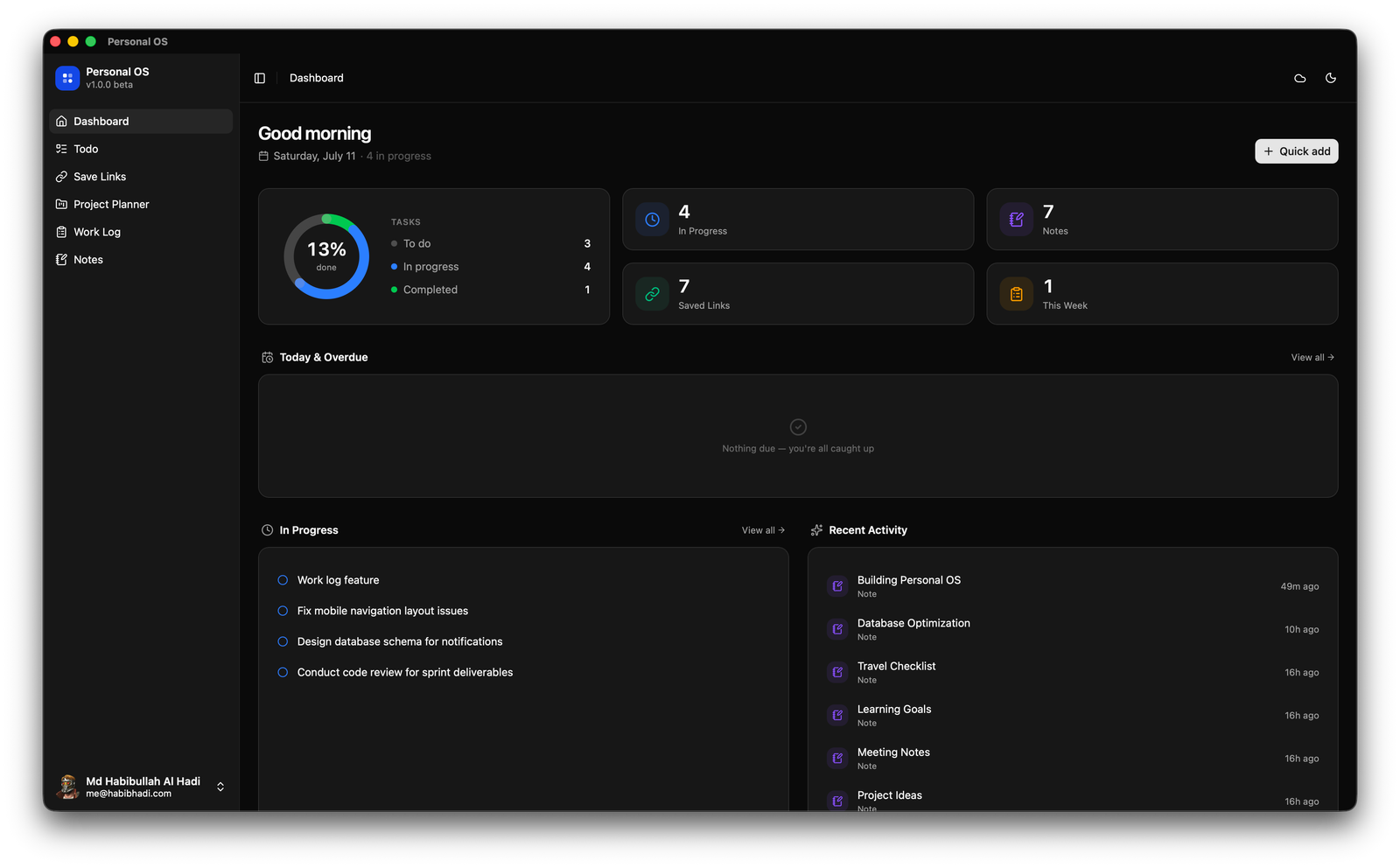
Dashboard
An at-a-glance overview of in-progress tasks, recent work, notes, saved links, and active project timelines.
Local-first · Offline-ready · Optional cloud sync
Tasks, notes, saved links, work logs, and project timelines - on desktop, in the terminal, and on your phone. Your data lives in SQLite on your device. No accounts. No forced cloud.
Looking for other platforms? Terminal app or Mobile app
Features
Everything you reach for during a workday, wired together in one local-first app.
An at-a-glance overview of in-progress tasks, recent work, notes, saved links, and active project timelines.
A drag-and-drop Kanban board with Todo, In Progress, and Completed columns, plus priorities, due dates, and search.
Bookmark any URL with an auto-fetched title and favicon, then organize everything with tags, filters, and search.
A simplified Gantt chart per project with colour-coded phases, resources, week ranges, statuses, and Jira ticket links.
Log completed work grouped by week, with start and end dates, tags, and date-range filtering.
A Markdown editor with live preview, tags, and auto-save, so your thinking is captured before it evaporates.
Screenshots
Real screens from the app. Pick a module below to preview it.
Local-first
Personal OS runs entirely on your machine by default. Sync to the cloud only when you want to - not because an app demands an account.
A single local database file. Fast, portable, and easy to back up.
Connect a Turso database to follow your data across machines.
No accounts, no tracking. Your work is nobody else's business.
Terminal version
Personal OS TUI is a keyboard-first terminal app for all six modules, built on OpenTUI + React. It talks directly to your Turso database, so a terminal session and the desktop app always see the same rows.
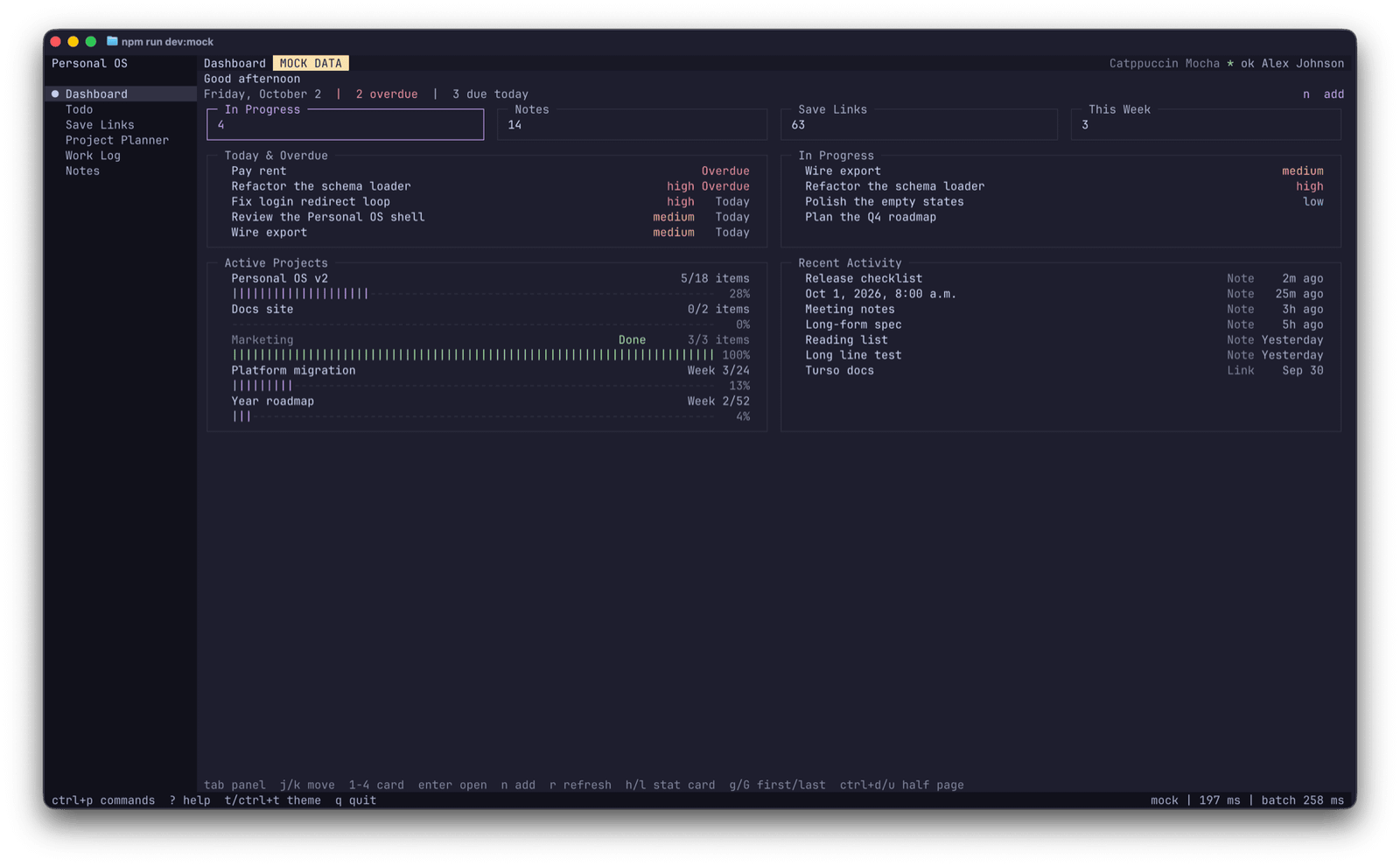
The TUI reads and writes the same Turso (libSQL) database as the desktop app. No exports, no second copy, no stale rows.
Vim-style motions, per-screen keys, a command palette, and a theme picker. Mouse is optional - everything is reachable from the keyboard.
A modern terminal UI written in TypeScript on Node 26+, running on macOS, Linux, and Windows, and degrading cleanly on 256-color terminals.
$ npm install -g @im4all/personal-os-tui
$ pos
Requires Node.js 26.4+ and a Turso database. On first run, Setup collects your database URL and auth token; you can also pass them per session with POS_TURSO_URL and POS_TURSO_TOKEN.
Mobile app
Personal OS Mobile is a Flutter app for Android and iOS that covers the same six modules. It keeps a local SQLite database and, when you want, syncs with the same Turso database as the desktop and terminal apps.
Install the universal APK on Android, or build the iOS app yourself from source with Flutter - no app store required.
A local drift/SQLite database is the source of truth, so the app works fully without a network, an account, or a server.
Optional Turso sync touches the same rows as the desktop and terminal clients, converging with last-write-wins on each device.
Download the universal Android APK from the releases page, or clone the repository and build the iOS app with Flutter and Xcode. Both share the same Turso schema as the desktop and terminal apps.
Tech stack
A small, proven stack chosen for speed and longevity.